What's in space?
Pages in this sectionSee how busy Earth’s orbit is in real time using the ‘What’s in Space’ website.
Kit list
- A laptop, phone or tablet with access to the internet. That’s it!
Introduction
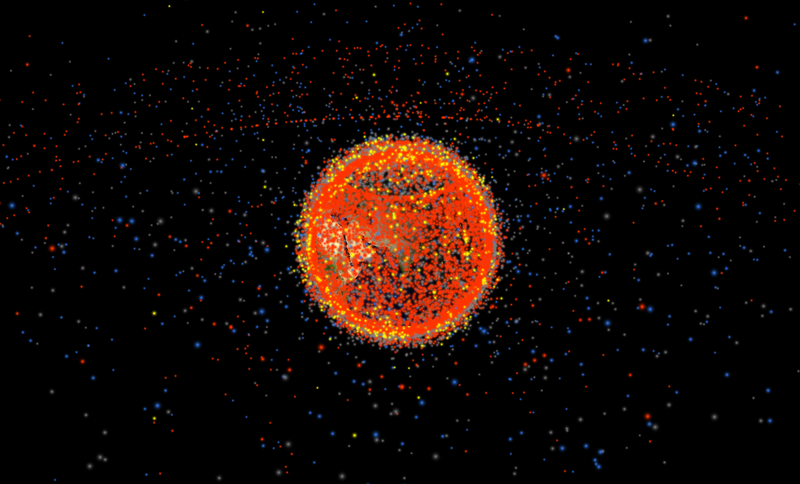
Many objects that orbit the Earth are being tracked. What’s in Space uses this tracking data to create a real-time 3D map of them.
Orbiting objects appear as glowing dots surrounding Earth. As the website is based on real data, you can click on individual objects to find out more about them. Although low Earth orbit is the one that’s getting overcrowded (as discussed in this pack), you can also see objects that orbit the Earth from further away.
The website updates daily with orbit data from Space-Track.org. It also uses the satellite.js Javascript library to calculate satellite positions.
Running the activity
Using a laptop, tablet or smartphone with internet access, open a browser window and go to the website whatsin.space.
Once on the site, familiarise yourself with the controls. Note the clock at the top of the screen. This should read the current time and date, showing that what you’re looking at is a live visualisation of what is orbiting the Earth right now!
Things to explore
- Notice the dense area of yellow and red dots surrounding the Earth. This is low Earth orbit, and you can see how crowded it is!
- Zoom in and out of the image to move away and towards Earth, either using the buttons in the bottom right corner of the screen or your mouse controls.
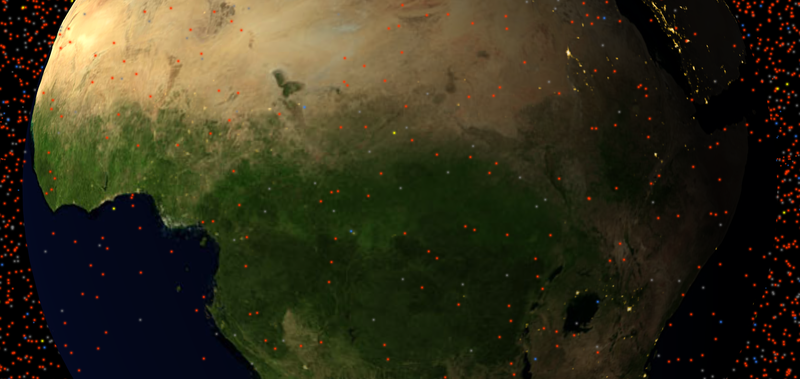
- Click and drag the Earth to spin it around. Can you find a particular country?
- Click on individual orbiting objects. A line will appear showing the route it takes and a blue box will also appear with information it. Look out for:
- The object’s name (at the top)
- The country it is from (shown by the flag next to the name)
- The ‘Type’ of object it is – Payload, Debris or Rocket body. Their dots are also colour coded:
Dot colour code
The blobs representing orbiting objects are colour coded depending on what they are.
- Payload (Red): something that is producing data and sending it back to Earth, e.g. active satellites.
- Debris (Grey): These are pieces of ‘space junk’ in orbit – for example the non-functioning satellites that the UK Space Agency mission will be removing!
- Rocket body (Blue): These are also a type of debris. Rockets are used to deliver satellites into space. Once that’s done, parts of them can remain in orbit.
- Unknown (Yellow): These objects are tracked, but we don’t have a lot of information about them!
Try out some of the site’s more advanced features:
Speed up
Use the X2 and X3 buttons to speed up the movement of the objects. This can help to visualise the bustling orbital environment. Clicking on X1 again will take you back to real time.
Filter by orbit
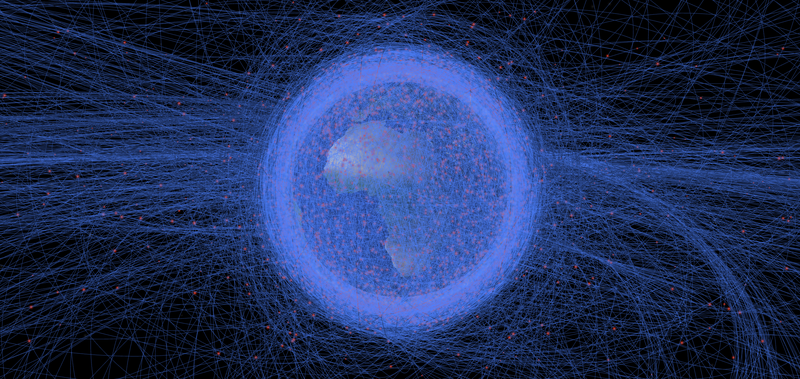
Click the BY ORBIT button on the top left of the screen and select ‘Low Earth Orbit (LEO)’. This will highlight all the objects in our most overcrowded orbital environment, and the part of space that the ADR mission is focused on. With this filter, the orbital paths of all the objects are highlighted (not just the objects themselves), so it can look a little messier. However, it’s still a good way of showing which objects are specifically in this orbit.
Filter by type
Click on the GROUPS button on the top left of the screen. Select the group you want to filter by. [Debris] is a good start. Remember, [Rocket bodies] are also a type of debris!
This activity is also available in our downloadable resource pack.
Header image credit: ClearSpace UK